Pick a picture of your kid, your dog or the whole family. Inkpic draws a clean black-and-white coloring page from it in about 30 seconds, ready to print or color on a tablet.
2 free pages, no watermark. Works on Android and iPhone.

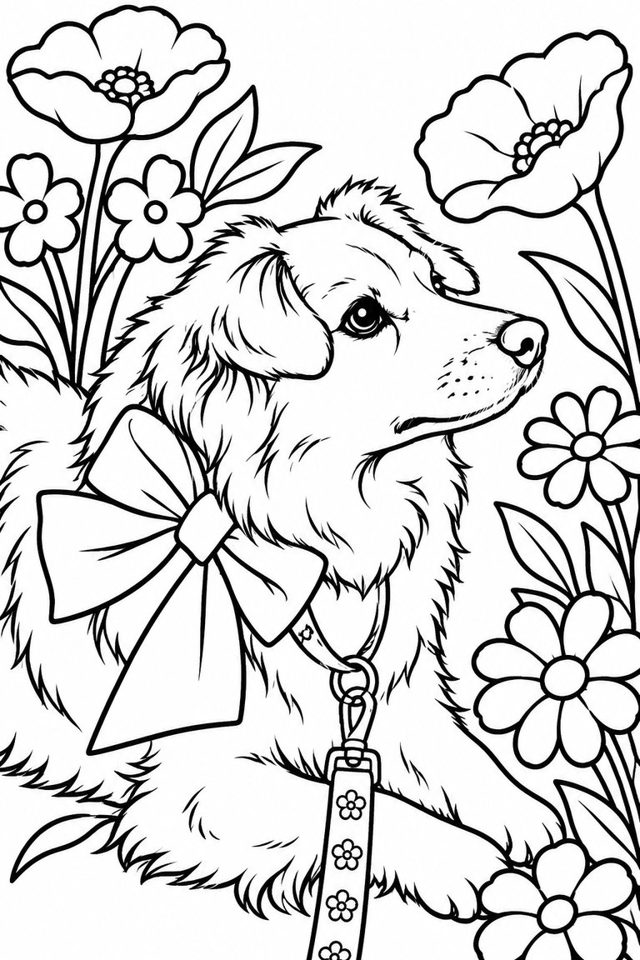
Bold lines and big areas. Easy for small kids and chunky crayons. About 30 seconds.
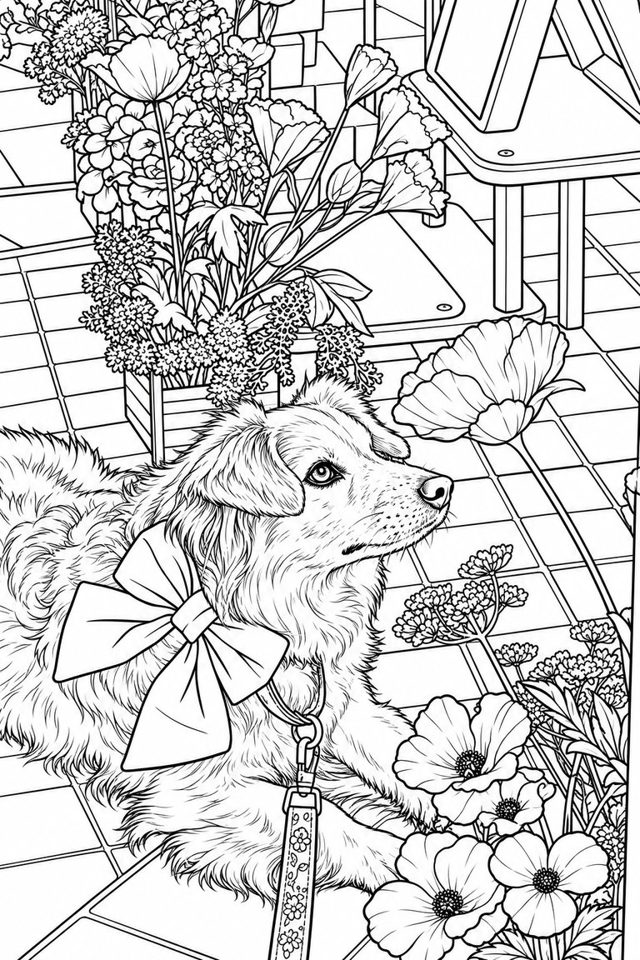
Fine lines, textures and the background. For older kids and adults who like to lose an evening in a page. About 45 seconds.
Any picture from your phone. Faces, pets and single subjects on a calm background come out cleanest.
Simple or Detailed. The page is drawn by AI and lands on your phone as a portrait page sized for Letter and A4.
Print straight from the app, save as PDF or image, or send it to grandma. Then grab the crayons.
2 coloring pages per install. Both styles, no watermark, no account.
Inkpic Pro: 15 pages every month. Cancel any time in Google Play or the App Store.
The photo goes to our server and to OpenAI only for the seconds it takes to draw the page. We never store it, never look at it, and it is never used to train AI. No account, no ads, no tracking SDKs. Read the privacy policy.
Yes. Every install gets 2 free coloring pages with no watermark. After that, Inkpic Pro costs $2.99 a month for 15 pages.
Portraits with a clear face or a pet on a plain background give the cleanest lines. Busy backgrounds and crowds get dense in the Detailed style, so try Simple for those.
Yes. Tap Print on the result screen to send it to any printer, or save it as a PDF or image and print it later. Pages are portrait and fit Letter and A4.
No. The photo is sent to our server and to OpenAI only for the seconds it takes to draw the page, then it is gone. It is never used to train AI.
A Simple page takes about 30 seconds, a Detailed page about 45 seconds.
The pages are for kids and adults to color. The app itself is for grown-ups (parents, grandparents, teachers): it is rated 18+ in the stores and there is nothing in it for a child to tap.
 Inkpic